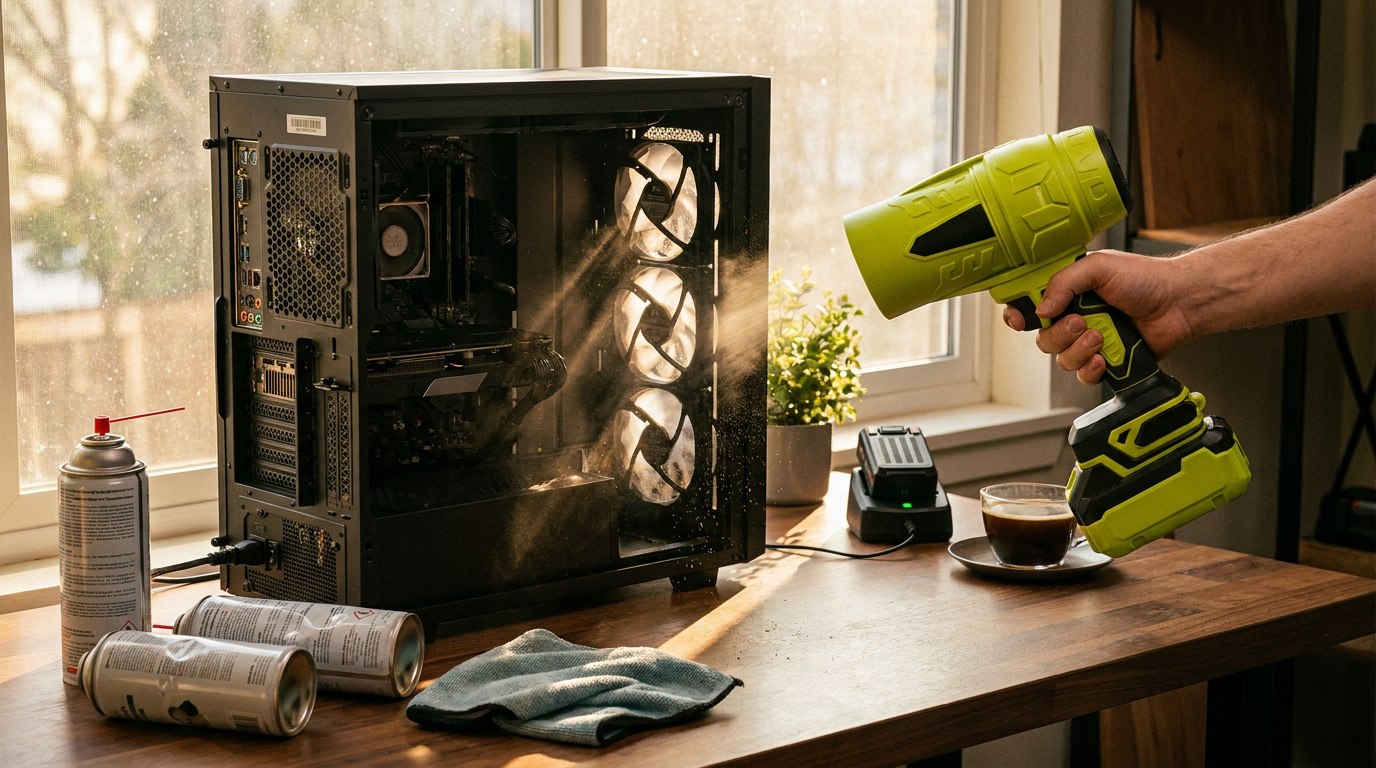
Maintaining Hardware with Jet Blower Air Dusters
 Sam VasquezBuying Guide Lead
June 8, 2026. This review examines the shift from disposable compressed air to high-velocity cordless solutions for sensitive electronics, targeting PC builders and office managers.
The Problem with Traditional PC Cleaning Methods
Standard cleaning via cans of compressed gas presents logistical and physical risks. The most immediate issue is liquid propellant; tilting a can can spray freezing liquid onto a motherboard, causing thermal shock or moisture damage. Furthermore, pressure drops rapidly as the container cools, making them ineffective for deep-cleaning radiators or heat sinks. According to a test by 'Which Air Duster Actually Works Best? We Tested Them All', traditional canned air often lacks the sustained force required for modern, high-airflow computer cases. This necessitates buying multi-packs, leading to recurring costs and environmental waste from chemical propellants and metal canisters. While a disposable can might suffice for annual keyboard cleaning, the inefficiency is clear for those with dedicated workstations or multiple gaming rigs. Whatever tool delivers the air, technique protects the hardware. Power the machine down and unplug it before any cleaning pass — dust dislodged into a live board is an avoidable gamble. The single most important habit is immobilizing every fan before air hits it: hold the hub with a finger or slip a toothpick between the blades, because a fan spun far past its rated speed by an air blast suffers bearing wear, and a spinning motor generates a small electrical current back into the header it is connected to. Case fans, the CPU cooler, and the graphics card fans all get the same treatment, one at a time. Do the whole job outdoors or by an open window — a year of accumulated dust does not disappear, it relocates, and indoors it settles straight back into the intake filters. A pair of glasses or safety specs is not overkill the first time a heat sink releases its archaeology directly at your face.
How Jet Blower Optimizes Electronic Maintenance

Photo by Ivan Chumak on Pexels
The Jet Blower addresses canned air limitations using a high-speed brushless motor providing consistent, dry airflow. Unlike disposable cans, it maintains a steady stream that can be directed into power supply shrouds or behind motherboard trays. The 2026 specifications allow the unit to reach 360,000 RPM, creating wind pressure of approximately 310g—significantly higher than standard electric dusters. This enables debris removal from radiators without disassembling the cooling loop. The 5-speed adjustable settings are vital; lower speeds avoid over-spinning fan blades, while maximum power tackles floor filters. The cordless design allows for cleaning outdoors to avoid spreading dust inside. For any machine costing more than $500, the Jet Blower is the superior choice. Cadence matters as much as force, because dust damages silently through temperature rather than visibly through dirt. A sensible baseline is a filter-and-intake pass monthly — thirty seconds, no disassembly — and a full open-case clean every three to six months, sliding toward the short end for carpeted rooms, shedding pets, or a tower that sits on the floor, where intake height puts it in the densest dust layer in the house. The machine also tells you when it is overdue, if you listen: fans that ramp louder than they used to during the same workload, or component temperatures creeping up over weeks, are reporting insulation by dust blanket, not aging hardware. Cleaning at that signal — rather than at the point where the intake grille visibly wears a felt coat — is the difference between maintenance and rescue, and it is the habit that keeps a five-year-old machine sounding like a new one.
Decision Framework for Selecting a Cordless Duster
When selecting a tool, consider nozzle concentration and battery life alongside RPM. Some electric dusters lack the static pressure to lift "baked-on" dust. Look for a motor that handles three full cleaning cycles per charge. Avoid cheap plastic models that lack thermal protection. Skip this if you only own a laptop, as a microfiber cloth is safer for screens. For others, use this checklist:
- Verify the motor is brushless for torque and longevity.
- Check for at least three speed tiers to protect fragile components.
- Ensure a USB-C charging interface.
- Look for minimum wind pressure of 250g.
- Confirm a concentrated nozzle attachment is included.
The bonus is that the PC turns out to be a minority shareholder in the device's actual use. Car dashboard vents, window tracks, power strips and cable nests, printer interiors, paper shredders — the same dry, sustained airflow serves all of them, which is worth remembering when judging the price against a multi-pack of disposable cans that serve exactly one purpose before joining the recycling problem.
Sources
Photo by Gustavo Fring on Pexels